
AI Gateway for LLMs and AI Agents
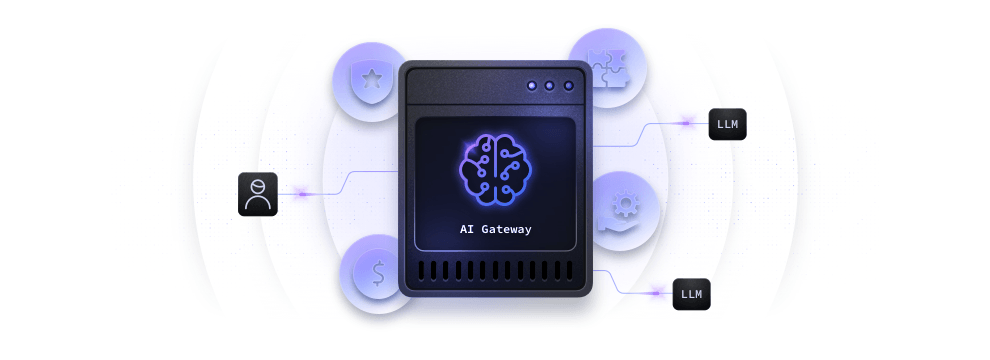
The KrakenD AI Gateway is the set of KrakenD Enterprise components that put Large Language Models (LLMs) and AI agents behind your API infrastructure. It connects your endpoints to the major LLM vendors through a single interface, chooses the model of each request, blocks malicious prompts, enforces token budgets, and reports the token consumption of every call. Use it when your applications, teams, or customers consume AI services and you need to control who uses which model, how much it costs, and what data reaches the vendors. It runs in the same binary and configuration as your API Gateway, so there is no extra product, control plane, or deployment to operate.
What Is an AI Gateway?
An AI Gateway is an API Gateway specialized in AI workloads. It sits between the consumers and the LLM vendors, so the credentials, the model choice, and the security and cost policies live in one place instead of in every application. Consumers get a stable API, while you keep the freedom to change models and vendors behind it.
AI Gateway Capabilities
The AI Gateway documentation follows the tasks you need to solve when you put LLMs in production. Each capability is a KrakenD component that you add to the configuration.
Connecting to LLMs
- The Unified LLM Interface (
ai/llm) gives clients one request and response format for every vendor, while KrakenD builds each vendor payload with prompt templates. - The LLM Provider Inventory (
ai/providers) declares each provider once, with its vendor, model, and credentials, so any backend references it by name. - Built-in integrations connect to OpenAI, Google Gemini, Mistral, Anthropic, Amazon Bedrock, and Alibaba Cloud Qwen, and to other vendors and OpenAI-compatible servers such as Ollama.
- LLM Streaming forwards the tokens as the model produces them, optionally in the OpenAI or Anthropic format whatever the vendor.
Routing Requests to the Right Model
- The AI Router (
ai/router) chooses the provider of each request with header or policy gates, a classifier that picks the best model, and failover providers. - LLM Routing Strategies cover the other patterns: one endpoint per provider, vendor-native passthrough, multi-LLM aggregation, and mixing LLM and non-LLM backends.
Protecting Prompts and Data
- Prompt Guard (
ai/prompt-guard) blocks prompt injection, jailbreaks, and data exfiltration attempts with default guards, regular expressions, CEL policies, or an external classifier. - AI Gateway Security isolates the consumer authentication from the vendor credentials, masks sensitive data, and prevents exfiltration.
Controlling the Costs
- Token Budgets cap the tokens each user, plan, or tenant consumes per hour, day, or month, with the quota component.
- The Semantic Cache (
ai/semantic-cache) returns a stored response when a new prompt means the same as a previous one, without calling the LLM.
Observing AI Traffic
- AI Monitoring reports the input, output, and total tokens of every call per provider and model through OpenTelemetry, together with the Prompt Guard and semantic cache metrics.
Connecting AI Agents with MCP
- The MCP Server (
ai/mcp) exposes your existing APIs and services as Model Context Protocol (MCP) tools for AI agents, with authorization and per-client tool filtering. - The MCP Gateway puts third-party MCP servers behind KrakenD to add authorization, rate limits, and observability.
Quickstart
The following configuration declares an OpenAI provider in the inventory and exposes it on /chat. Replace xxx with your OpenAI API key, or inject it from an environment variable with Flexible Configuration:
{
  "$schema": "https://www.krakend.io/schema/krakend.json",
  "version": 4,
  "extra_config": {
    "ai/providers": {
      "providers": [
        {
          "name": "chat",
          "provider": "openai",
          "model": "gpt-5-nano",
          "credentials": "xxx"
        }
      ]
    }
  },
  "endpoints": [
    {
      "endpoint": "/chat",
      "method": "POST",
      "backend": [
        {
          "extra_config": {
            "ai/llm": {
              "provider": "chat"
            }
          }
        }
      ]
    }
  ]
}
Save it as krakend.json, start KrakenD, and send a prompt:
$curl -XPOST --json '{"instructions": "Answer in one sentence", "contents": "What is an API gateway?"}' http://localhost:8080/chatKrakenD builds the OpenAI request, adds the API key, and returns the unified response with the generated text and the tokens consumed:
{
  "ai_gateway_response": [
    {
      "contents": [
        "An API gateway is a single entry point that routes, secures, and manages the traffic between clients and backend services."
      ]
    }
  ],
  "usage": "52"
}
From here, add authentication to the endpoint, more providers to the inventory, an AI Router to choose among them, and a token budget to cap the spend.